
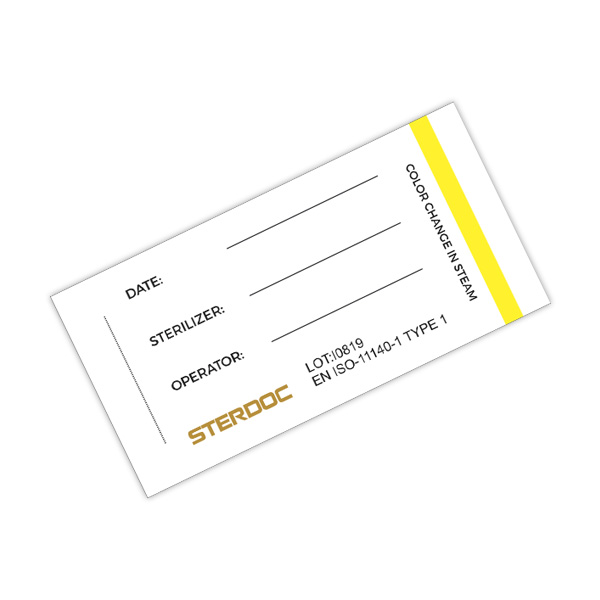
Container Indicator Card
Single-use steam exposure indicator card for sterilization containers and process documentation.
| Indicator type | 1 |
|---|---|
| Process | Steam: 121°C / 134°C |
| Colour change | Yellow to black |
| Documentation | Lot and expiry on each indicator |
For process exposure monitoring. Follow the product instructions; indicator response alone does not establish sterility.
KRCI-138 is the container documentation card in this range. Choose it for identification at the container holder rather than as an internal pack integrator. Confirm the actual holder dimensions and the process indicator marking supplied on the card before integrating it into the local documentation system.
Where it fits in your workflow
A container card keeps identification information visible alongside a reusable sterilization container. It supports communication between the packing team, the processing area and the user. The card belongs to the documentation workflow; it does not replace the container filter, valve, closure or integrity checks.
Practical use guide
Confirm the card dimensions and holder compatibility. Complete the fields required by your procedure and verify legibility before inserting the card. Place it in the designated holder without obstructing functional components. Ensure the recorded identity matches the container contents and the processing record.
Reading and documenting the result
After processing, check that the card remains readable and associated with the correct container. Where a process indicator is present, interpret it only for the method stated on the card. Preserve the connection to the cycle record. Identification or an external process response alone cannot authorize use of the contents.
Practical benefits
A consistent card format makes key information easier to locate during handover. It can reduce ambiguity between similar containers when staff complete and verify the fields. The practical benefit depends on accurate data and correct association, rather than on the card alone.
Selection questions
Before ordering, check holder size, required fields and process compatibility. Decide how used cards will be retained or replaced under your document-control procedure. Do not reuse an already reacted indicator to represent a new cycle.
Questions before ordering
What should I include in a technical enquiry?
Include the exact product name or code, equipment, process, packaging material and intended monitoring task. If you are replacing an existing product, provide its instructions and explain the application rather than requesting equivalence by appearance alone. Krinmed can then identify the relevant model documentation for your evaluation.
Can I use an image as the result reference?
No. Screen colour, lighting and image processing can alter the appearance of an indicator. Read an actual test against the current reference and instructions supplied for that product. Website photographs support identification and presentation; they are not a calibrated colour standard.